Homelab history
Homelab history
I’ve been running some form of home infrastructure for a long time now. Looking back through old notes and photos, it’s interesting seeing how much it’s changed. Some of it was planned, a lot of it wasn’t, and there were more than a few dead ends along the way.
Like most long-running homelabs, it grew one project at a time rather than from any grand plan.
Packard Bell Club
A Packard Bell Club. It had 64MB of RAM. By today’s standards, that’s nothing, but back then, it was my first exposure to running a “server” running a copy of Windows NT Server that my dad had in a CD rack.
I tried to be fancy early on. I got my hands on an IBM server and attempted to do 32-bit virtualization. It failed. I tried my hand at Linux for the first time. That failed too. Neither worked, but I learned more by breaking things than if they’d both worked first time.
ESX / Windows
After those initial stumbles, I eventually got serious with VMware ESX, although I was still very much in the Microsoft world. Active Directory was Windows Server 2003, ISA Server handled the firewall, and Windows PXE builds were doing most of the automation.
RAM was always the limiting factor. I was running HP DL380 G3s and DL360 G3s with what felt like an enormous 8GB of RAM, trying to squeeze as many Windows Server 2003 VMs onto them as possible. Some of them were running quite happily on 128MB or 256MB.
The servers themselves lived under my bed and it was loud. During summer the fans would suddenly spool up in the middle of the night because the room had turned into an oven. Waking up and having to migrate VMs to be able to reboot a host to get it to settle down before going to school hours later was a struggle.
Eventually I moved bedrooms and the servers moved to a long built-in. It wasn’t exactly a datacenter, but it was a definite improvement. Around this time, storage moved to a Whitebox PC running FreeNAS 8.9, serving up iSCSI and Samba shares for my media and backups.
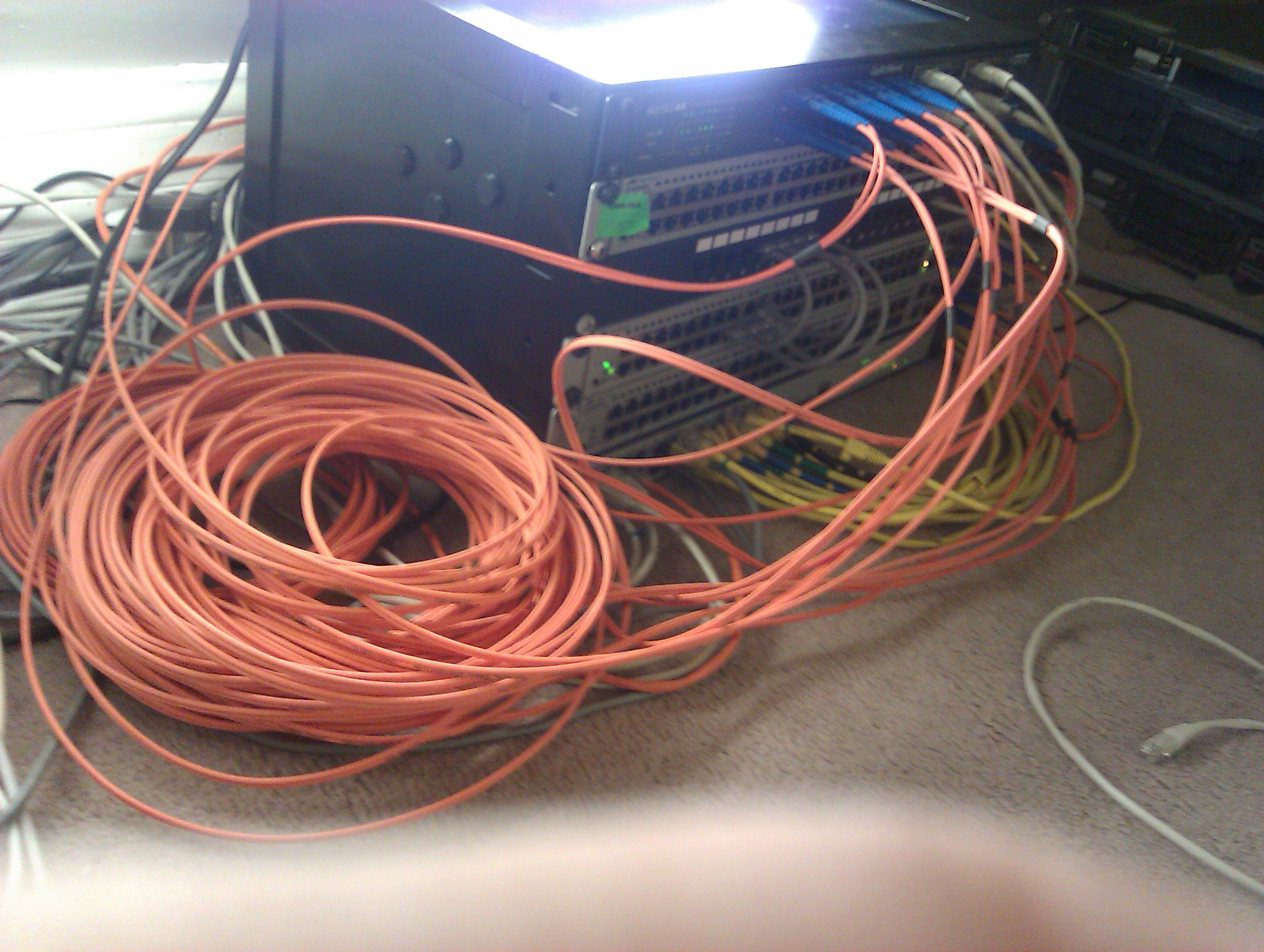
2012–2016
By 2012 I’d outgrown the cupboard, so everything moved into an external building. Around the same time I finally ditched Windows completely and moved everything over to Linux.
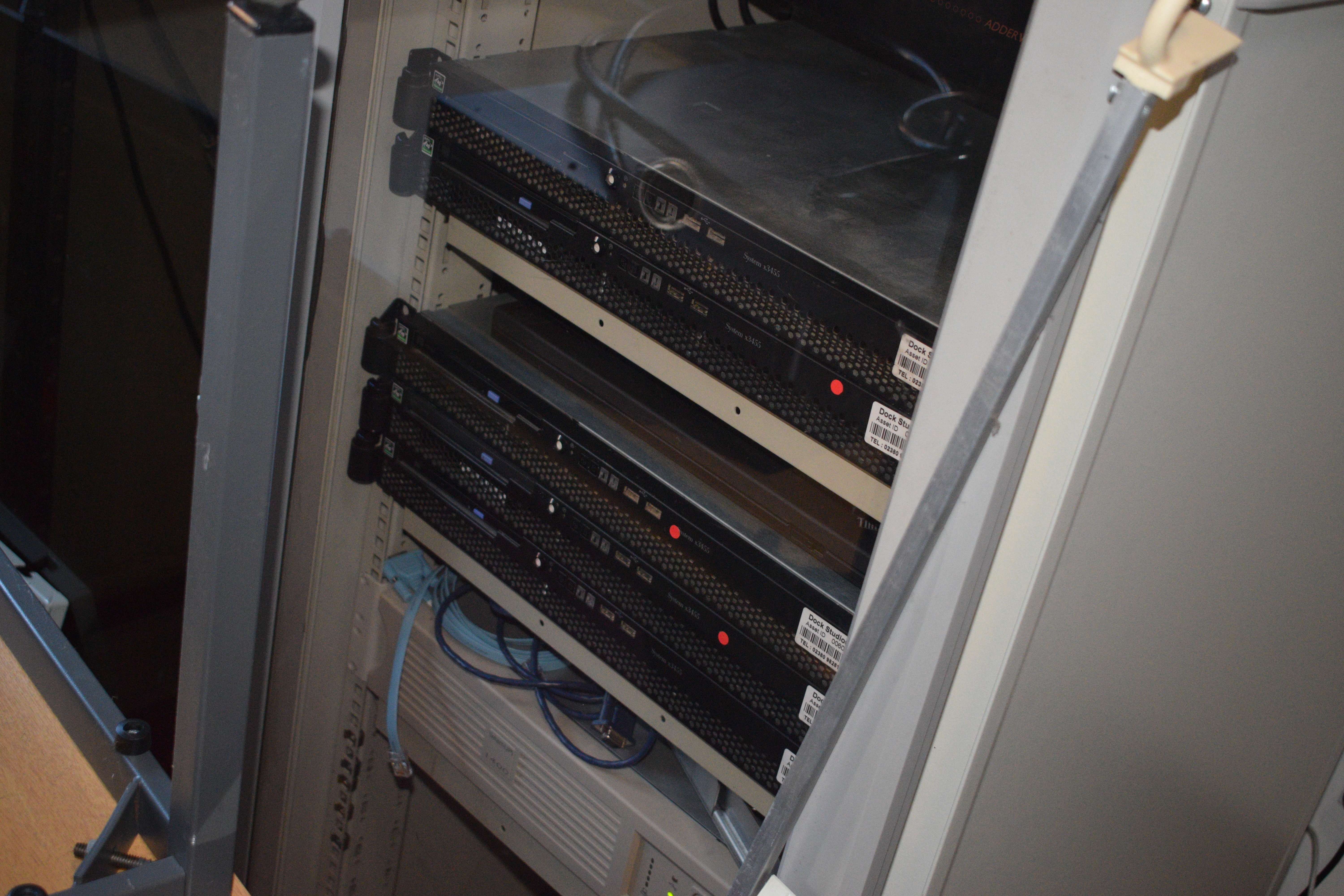
I removed Windows AD, ISA Server, and Windows PXE from the stack.
I shifted focus to IBM x3455 servers (eventually accumulating about two to four of them), while keeping the older DL380 G3s running as the backbone.
In 2012, I was managing complex network segmentation using pfSense (running on BSD/Linux). I set up multiple captive portals with “fancy” custom logins just to authenticate and jump between different networks. It was a complicated setup, but it taught me a lot about network security.
Most of it revolved around PXE booting, early KVM deployments and seeing what could be done across multiple machines. At one point I used a handful of laptops as compute nodes just to see if the idea worked. It mostly did.
At one point I ran an Ethernet cable out of a window just to get temporary connectivity into the building. It looked terrible, but it worked. This was also when I started dabbling with early oVirt exploration to see if I could manage the resources more effectively.
Before I made the jump to the datacenter, electricity costs became a real concern. I needed to shut down the power-hungry rack but keep the core VMs running. I took the original VMs, extracted their root filesystems, and placed them on the fileserver (the 4x3TB unit). I set up a PXE boot environment. About 3 ThinkPads would boot over the network, mount their root volumes via NFS, and run the core infrastructure directly from the fileserver. It was a fragile, low-power setup, but it kept the lights on without spinning up the massive rack.
Datacenter (2017–2018)
Eventually I rented some rack space in a proper datacenter and moved everything in.
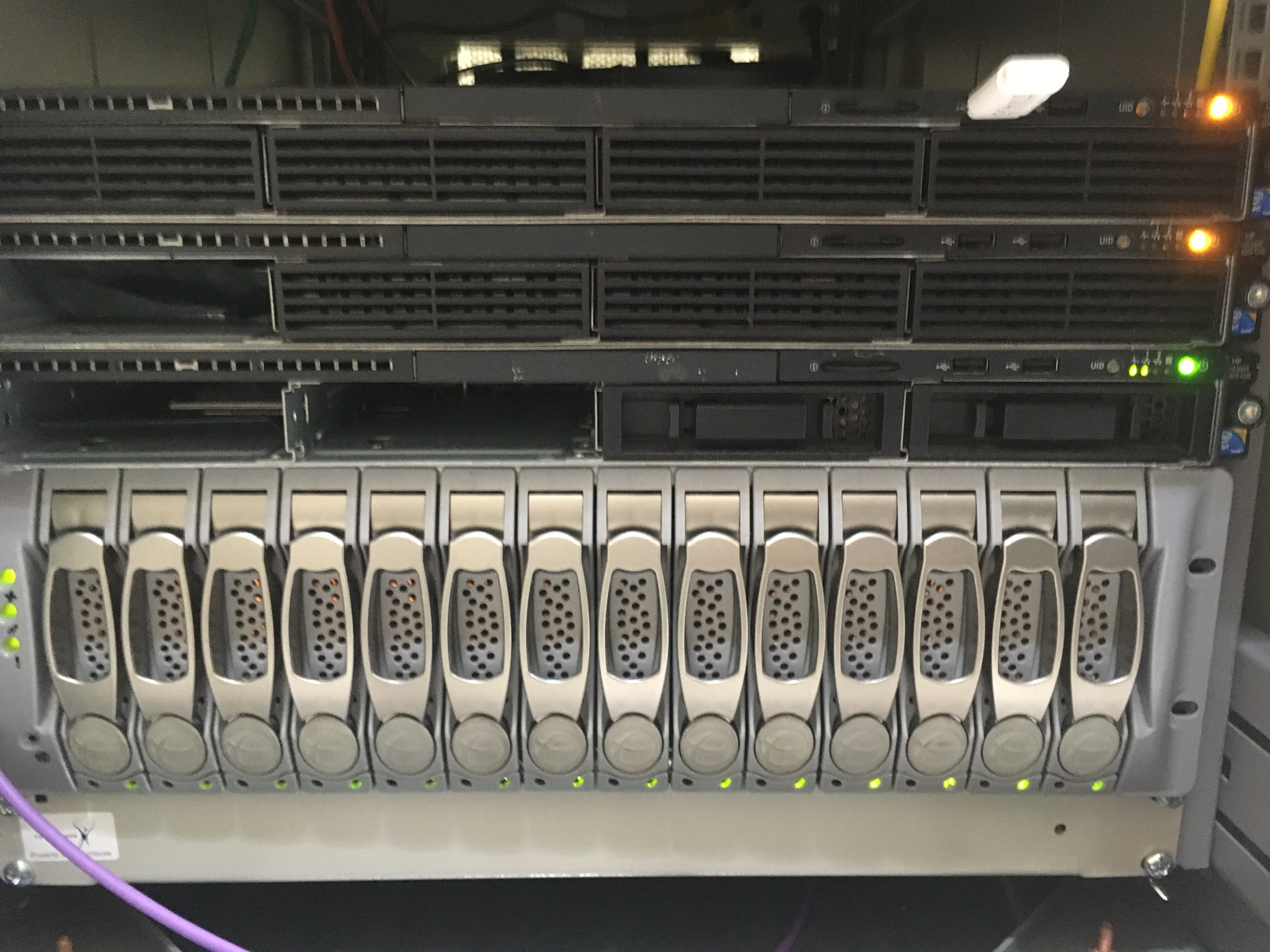
I moved to HP DL160 G6 servers and introduced a Nexsan SATABoy SAN with roughly 14TB of storage. I used oVirt to manage the virtualization. The complex pfSense captive portals were replaced by an OpenVPN setup for remote access to the datacenter environment. This is also where I first deployed Rancher to manage container workloads alongside the virtual machines.
It was a great learning experience in enterprise networking and SAN management, but it didn’t last long. By 2018, I repatriated the hardware, moving back to a consolidation model at home.
Back home (2018)
After bringing everything back from the datacenter in early 2018, I couldn’t immediately jump straight to a new enterprise server. I had to make do with what I had on hand.
I relied on a Synology unit for storage, an HP desktop with 32GB of RAM, and an IBM laptop. I was running VM hosts on consumer-grade laptops and desktops. It was a tight fit for resources, but it was a stopgap between the professional datacenter gear and the eventual home consolidation.
Cloud VPSes
While the datacenter experiment was happening, I also set up some VPSes for public services. I never jumped straight into Kubernetes.
Instead I ran a fairly thin Docker Swarm spread across a few VPS providers (mainly Hetzner and OVH), stitched together with Tinc and HAProxy. I used a mesh VPN (Tinc) and tools like HAProxy to create a highly available web and database cluster. It gave me redundancy for my public-facing services without needing Kubernetes on tiny VPS instances.
Local containers: Rancher → Nomad
Container orchestration started in the datacenter and I brought it home with me.
The Rancher / Kubernetes setup I brought Rancher and the local RKE (Rancher Kubernetes Engine) cluster home with me. It continued to run on the R720xd for several years.
- canal (Calico + Flannel) for networking, an nginx-ingress-controller, and a private Docker registry.
- This ran everything: GitLab, Nexus, Jenkins, Nextcloud, and my monitoring stacks.
- While it worked, managing a full Kubernetes cluster on local hardware used more resources than the workloads themselves.
The move to Nomad (2025–2026) I moved away from K8s to the HashiCorp stack (Nomad and Consul).
- Nomad let me run Docker containers, Java applications and even QEMU VMs from one scheduler. More importantly, it did it without needing a full Kubernetes control plane sitting around consuming resources. For what I wanted, it was a much better fit.
- I kept the robustness of orchestration but reduced the complexity and resource footprint on my physical hosts.
Consolidation: the R720xd
After the interim squeeze, I consolidated everything onto a single host: a Dell R720xd.
To keep the overhead low, I skipped complex management platforms and went back to basics, running the host on plain libvirt and qemu. This gave me direct control and let the orchestration layer do the rest. With 384GB of RAM in this box, I finally stopped starving the VMs.
Initially everything lived on a Synology over iSCSI. That worked well enough until latency started becoming noticeable, so I added an SSD using LVM cache locally.
Eventually I gave up on network storage for hot data entirely and filled the R720xd with eight 500GB SSDs.
The current setup is ZFS backed by 10K disks for capacity, with dedicated SSDs handling L2ARC and SLOG. It gives me most of the IOPS of the SSD array without needing everything to live on flash.
The heavy lifting happens on the R720xd, but the Nomad servers themselves run on much smaller machines. The scheduler stays lightweight while the work happens elsewhere.
Other things that changed
Identity
I started with Windows NT Domains on that early hardware, then moved to Windows Server 2003 AD. After the Big Switch in 2012, I eventually deployed FreeIPA in 2016, and it remains my core identity provider. I kept it and built on top of it. Later, I introduced Keycloak as a modern Identity Provider layer. Keycloak uses FreeIPA as its identity source. Recently, I migrated the Keycloak instance from a standalone VM to run directly in the Nomad orchestration layer for better resilience.
Hosting & Web Services
I went through the usual open-source stack. I started with IIS, moved to Apache, and then used control panels like Kloxo to manage domains. Eventually, I moved away from monolithic web servers entirely to Containers. This shift started on the VPS edge with Nginx, and later evolved to use HAProxy as the primary ingress controller.
Code & Infrastructure as Code
My approach to managing code and configuration has changed completely.
- Everything was completely hand-rolled. No version control, just scripts run manually.
- I eventually moved from manual files to SVN, then made the jump to Git.
- I adopted Puppet to handle configuration drift.
- Today, I use Terraform to provision the underlying infrastructure and Ansible for configuration management.
CI/CD & Pipelines
I’ve been using CI/CD tools since around 2012.
- Jenkins was the workhorse for over a decade. Over time, I split it into two instances (one public, one private) to handle different access requirements.
- Today, Jenkins is now old and deprecated in my stack. I have moved towards GitLab, which now handles the CI/CD pipelines natively alongside the source code, simplifying the workflow significantly.
Monitoring
I started with SolarWinds, then Nagios, then Icinga.
These days I’m slowly replacing all of that with something much simpler built around node-exporter and only the metrics I actually care about.
DNS
DNS has bounced around over the years as well. It started in Windows AD, moved into pfSense and eventually settled on FreeIPA.
Nowadays the workload is split. FreeIPA remains authoritative, Consul handles dynamic service discovery internally, and BIND serves the public-facing edge.
Networking
I moved from unmanaged switches to VLANs, using numerous 3com switches and eventually back to a small, low-power managed 8-port Netgear switch.
For access, I’ve moved through 802.1X captive portal authenticated wired networks, to Windows remote access VPN, OpenVPN, and currently to Netbird’s Zero Trust model along with Hashicorp Boundary.
Current setup
Today the homelab is split between the R720xd at home running Nomad and Consul, and a handful of VPSes running a lightweight Docker Swarm for external services.
Twenty-odd years later I still have DNS, identity, storage, firewalls and somewhere to run applications. The names have changed, the hardware has changed, and almost everything is automated now, but the overall shape is still recognisably the same.
The biggest difference is that the servers are finally quiet enough that they don’t wake me up in the middle of the night.